VitalsMeds iOS App
About the App’s Origin
About Vitality Mobile
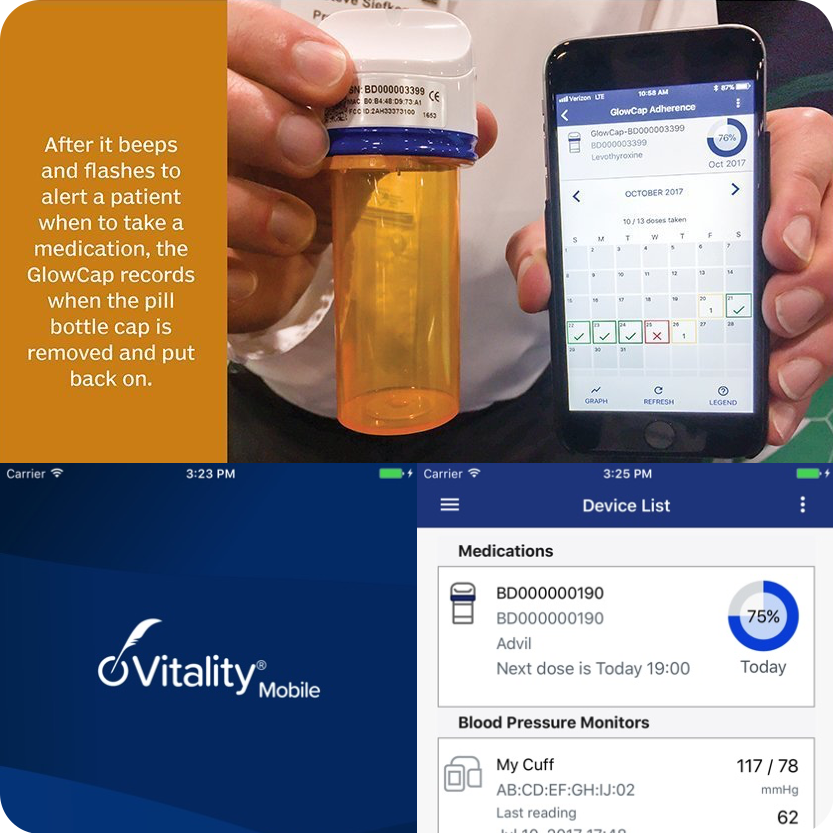
VitalsMeds is based on NantHealth’s mobile app ‘Vitality Mobile.’ When linked with Vitality GlowCap, Vitality Mobile delivers users a comprehensive mobile experience for tracking and improving medication adherence.
Vitality GlowCap is a smart pill bottle that offers automated visual and audible alerts during scheduled medication dosage windows that signal when it is time for the user to take their medications. With the Vitality Mobile app, users can link their mobile device to a Vitality GlowCap to view and track their medication adherence in near-real time. Additionally, users may give their clinicians, care managers, and family members access to their adherence information, allowing for buddy reminders and social support.
Tasks:
Product Design, Information Architecture, Visual Design, Logo Design
Vitality Mobile Android App
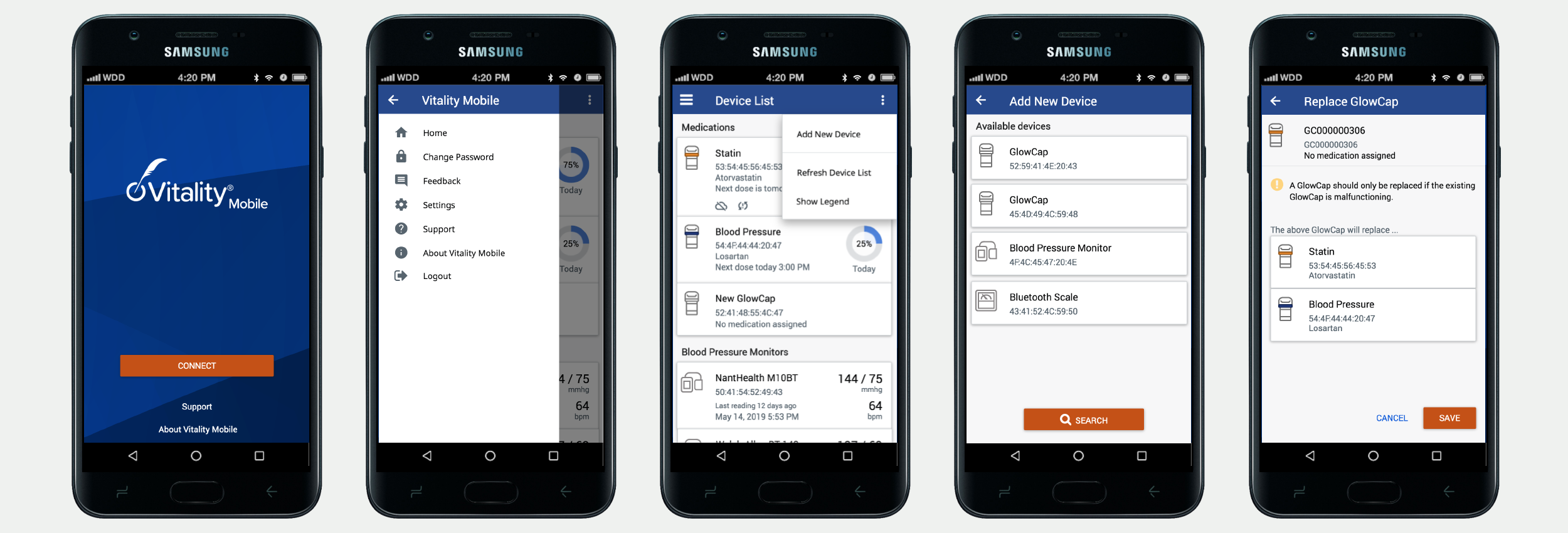
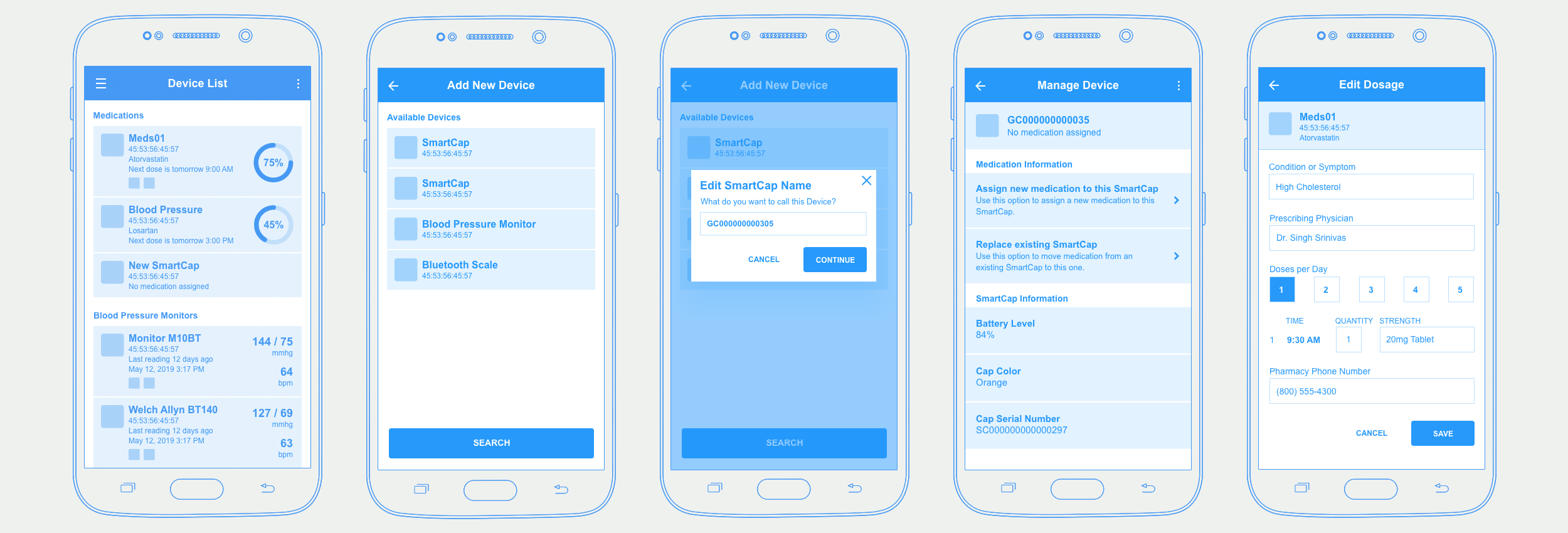
A few screens of the Android mobile app as it launched in NantHealth’s business unit ‘Connected Care’ during my time as Director of UX.
Vitality Mobile Wireframes
The team and I created a few wireframe screens for the Android app.
A New Direction
Switching from a Medication/Equipment-Centered App to a User-Centered Approach
A few years later, when leadership granted the employees a portion of their time for innovational purposes, I took the opportunity to consider expanding on the initial app’s idea.
Even though the initial app was a helpful tool for the users and the design process was conducted in a user-centered manner, the execution of it did not put the user into the center but instead focused on connecting medication/equipment, felt utilitarian and not like an experience a user would identify with.
After a short research phase and several brainstorming sessions, I started the ideation phase that the sketches on the right were part of. My approach was to centralize the user by creating a medical card with the user’s identity and all other elements circling that, rather than just listing the connected devices like the origin app. I decided to focus on the iOS market first.
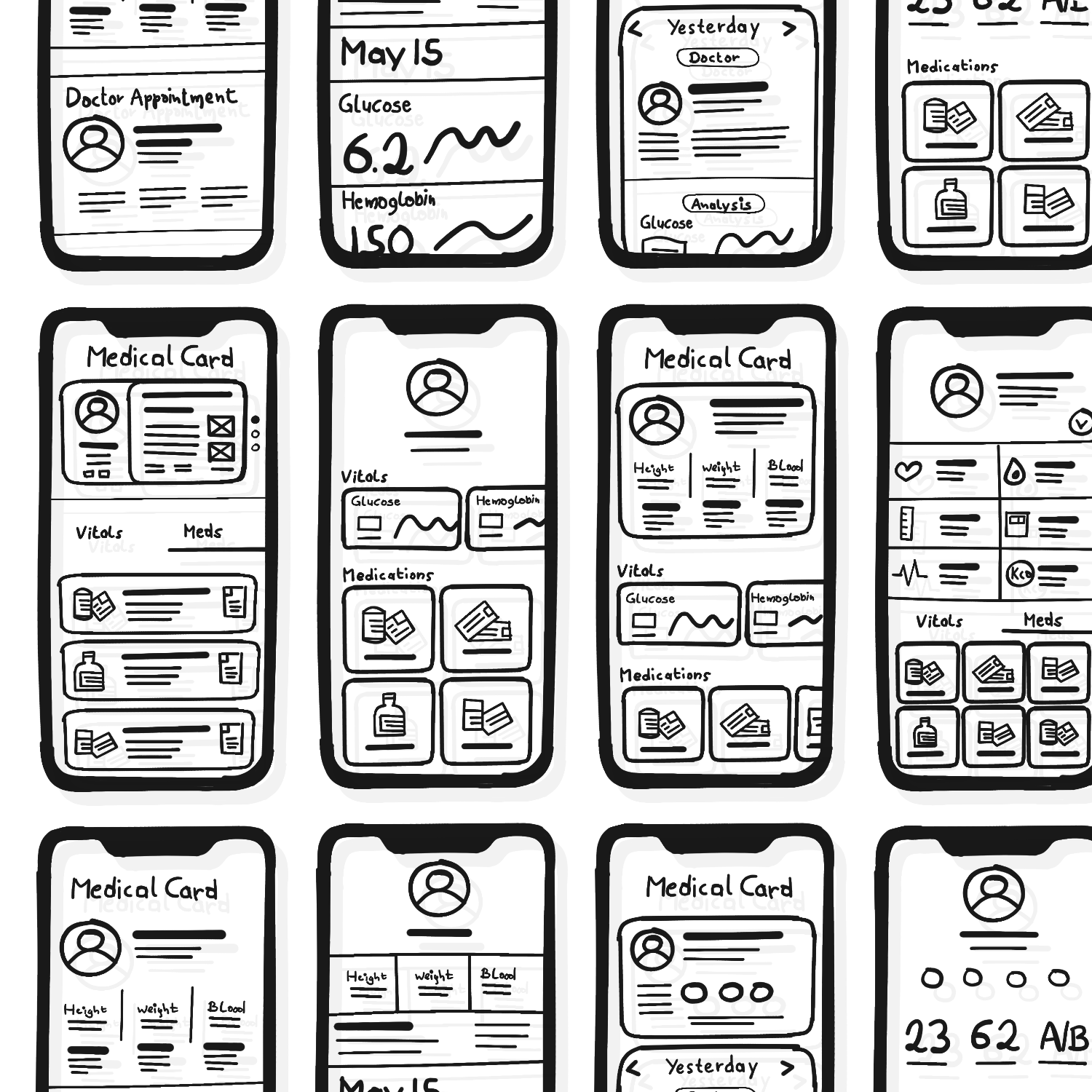
A few of the sketches during the ideation phase for the medical card screen of the app.
The New App…
It was clear that I wanted to open the app to a general audience, not just to users of glow caps. This entailed connecting the app to available medications, treatments, doctors, devices, and analyses, enabling e-prescriptions, and linking it with Apple Health.
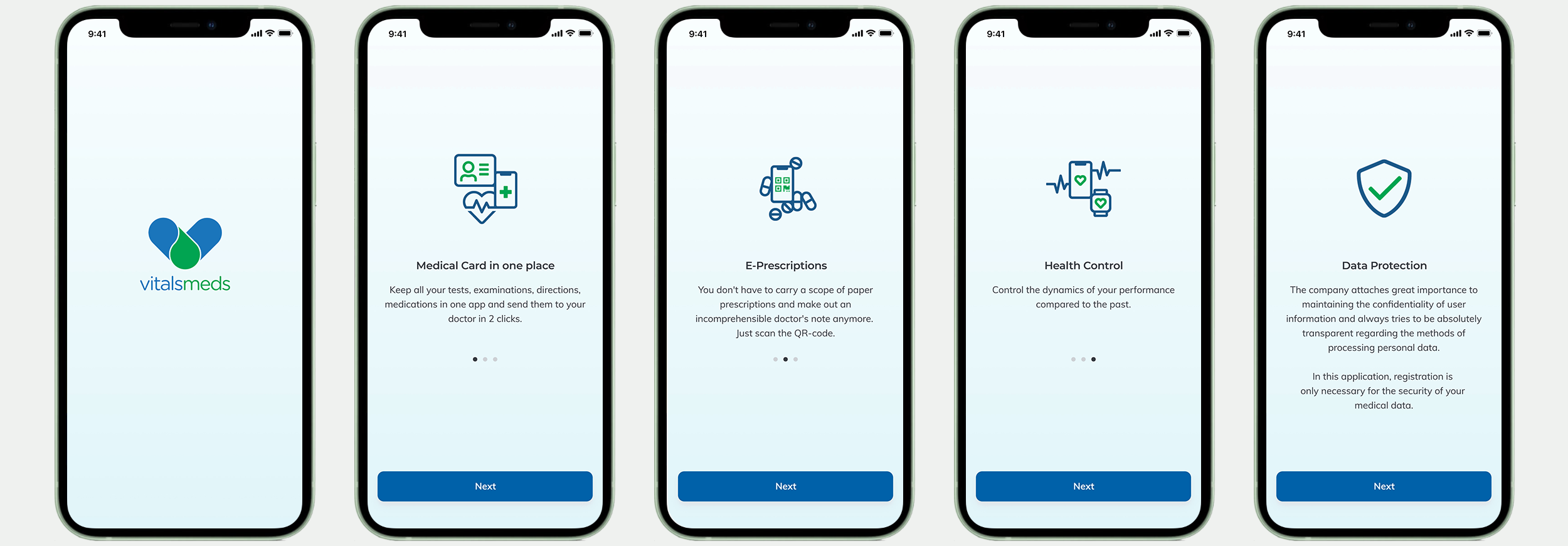
The screens below show the landing page flow with the security statement.
Registration and On-Boarding
A few of the registration and onboarding screens. Depending on the development effort, the height/weight entry could be replaced with the iOS standard spinner control.
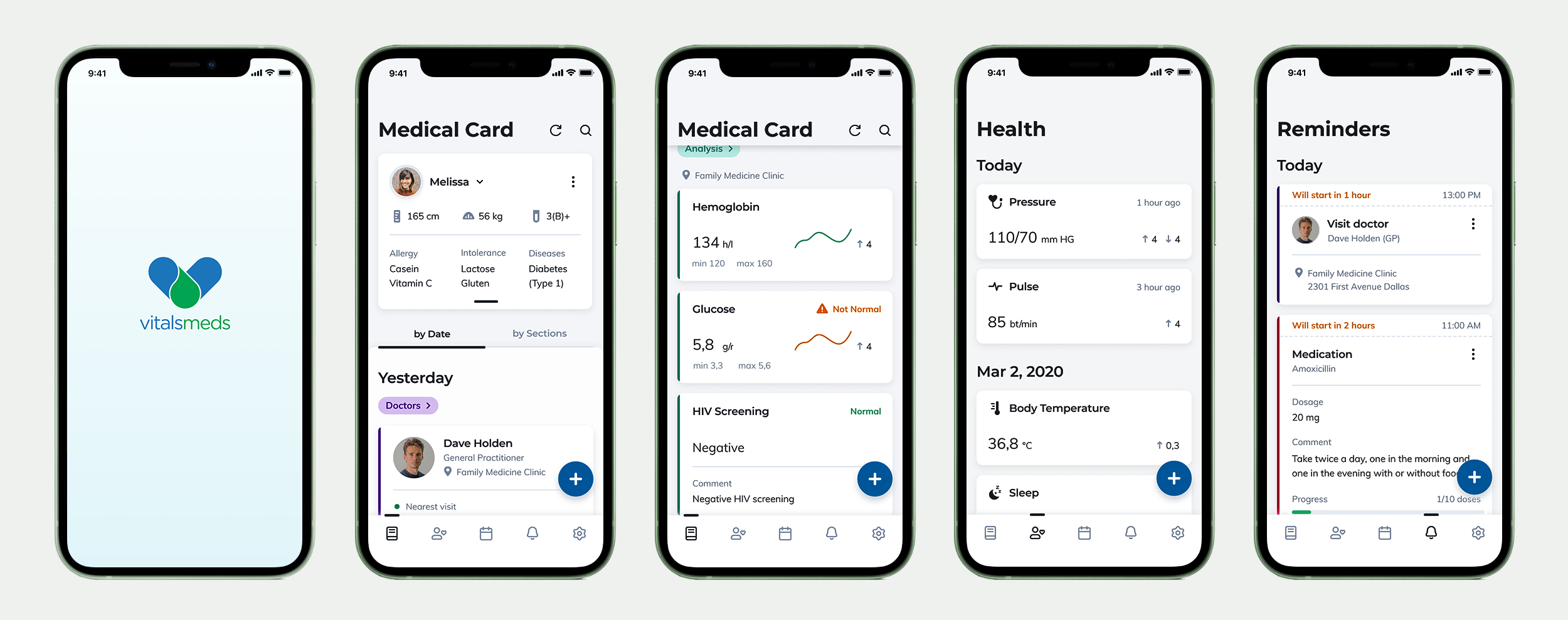
The Medical Card
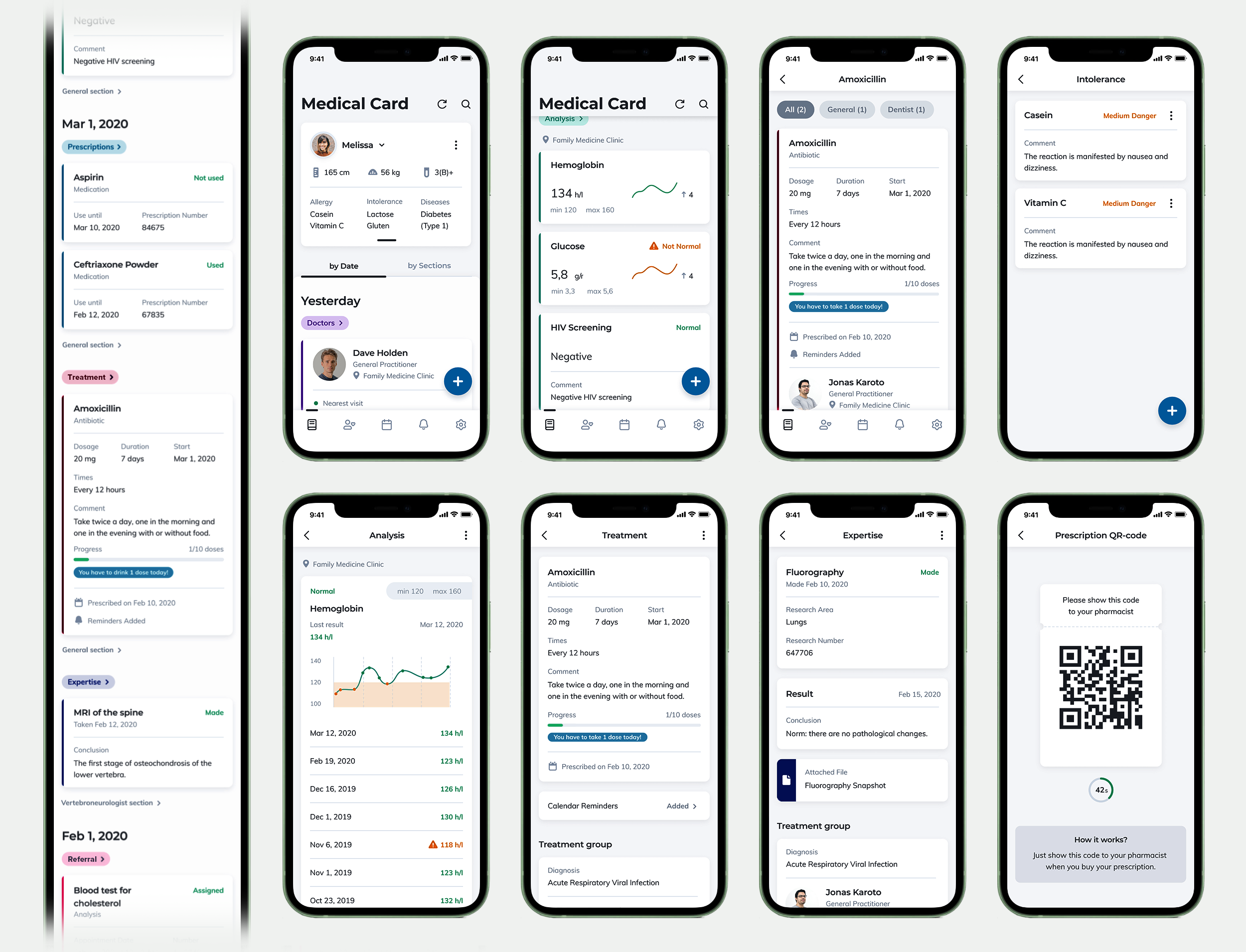
The medical card section is a central location in the app that houses the user’s vitals, medications, doctor connections, treatments, analyses, prescriptions, and referrals.
The tall image on the left displays the view when selecting the medical card's ‘by Date’ tab. When choosing the ‘by Sections’ tab, the idea is concise and applicable to treatments/medications/prescriptions/etc. It will be filtered by specialty section (GP, Neurology, etc.).
The other screens (Medication, Intolerance, Analysis, Treatment, Expertise, and Prescription QR-code are sub-pages of the medical card with one step back to the card.
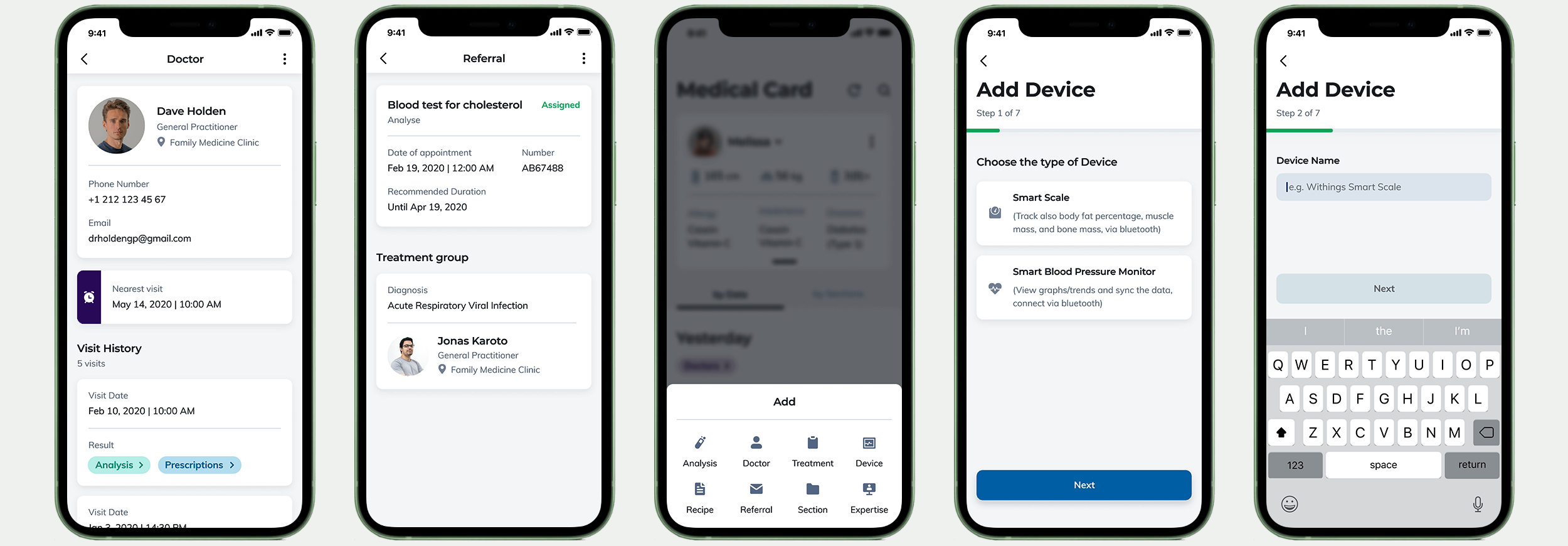
The doctor and referral screens are sub-screens of the medical card; one clicks away from the main card UI. The following screen shows the slide-up feature to add items to the medical card by tapping the ‘+’ floating button on the main card interface. The two remaining screens demonstrate part of the flow to add a device for measuring the user’s vitals.
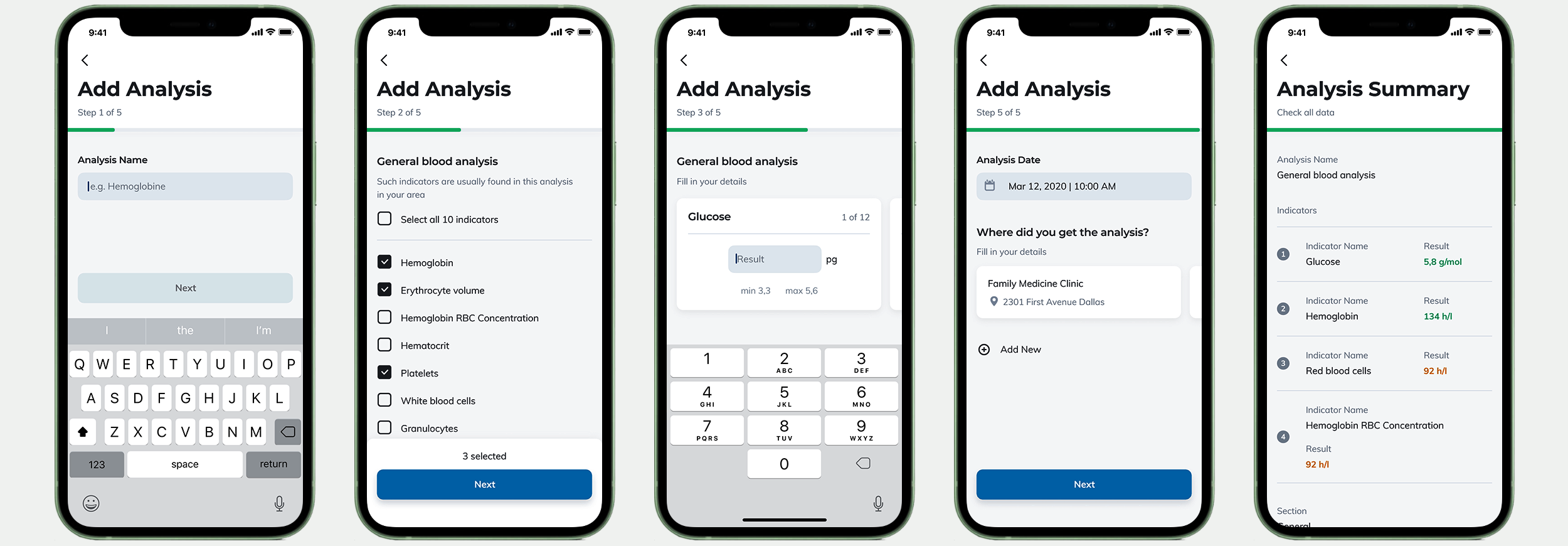
Adding Analyses from Medical Facilities
A few screens of the flow allow the user to add advanced analyses from medical facilities.
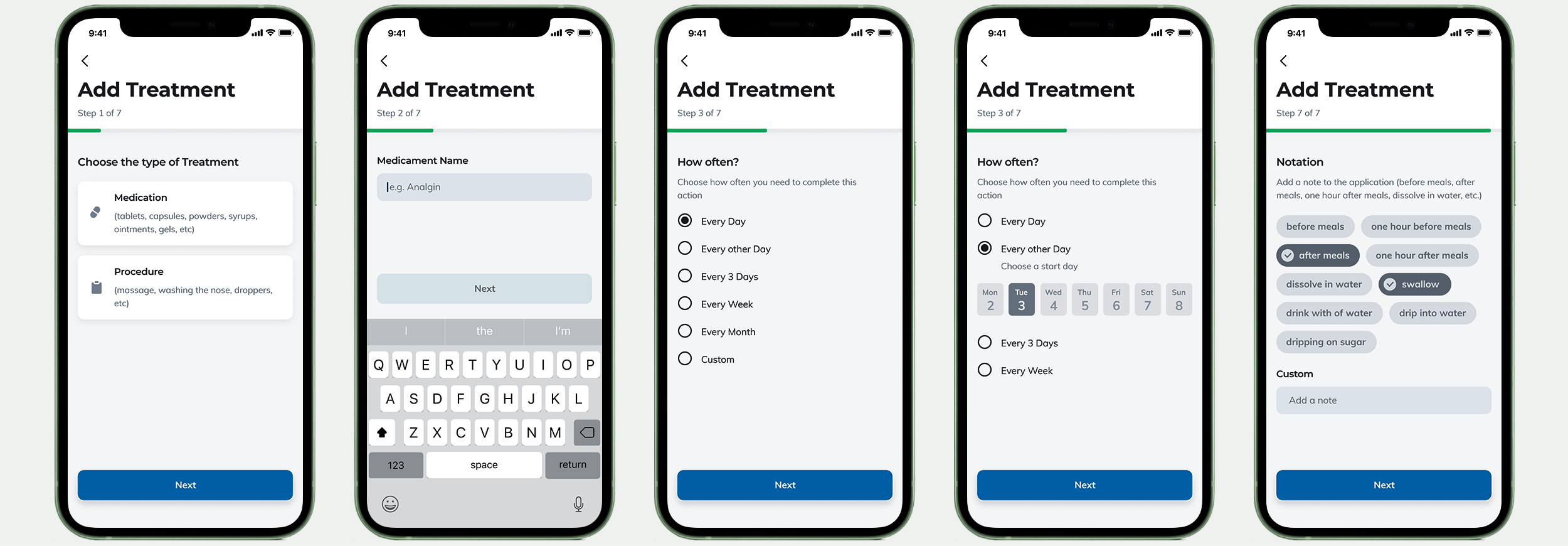
Adding Treatments to the Medical Card
A few screens of the flow allow the user to add medications and procedures.
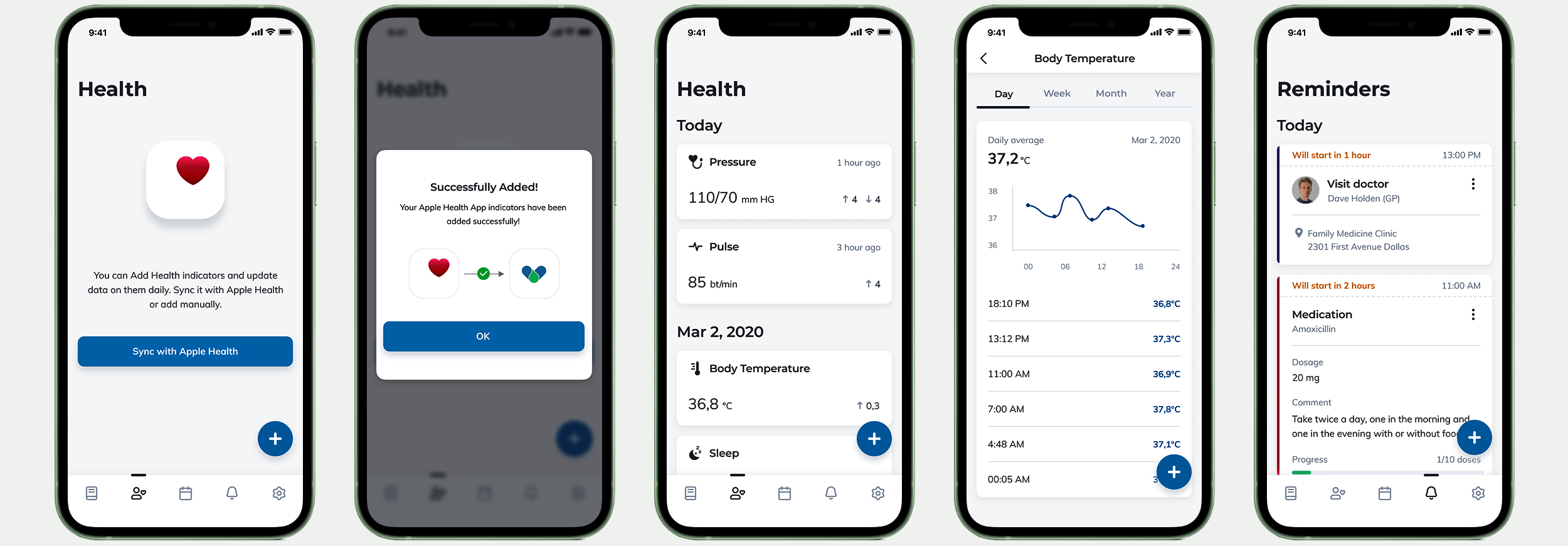
Apple Health & Reminders
The connection to the iOS features Apple Health and the screen that displays treatment, vital measures, and doctor visit reminders.