
About Digitalage Ad Center
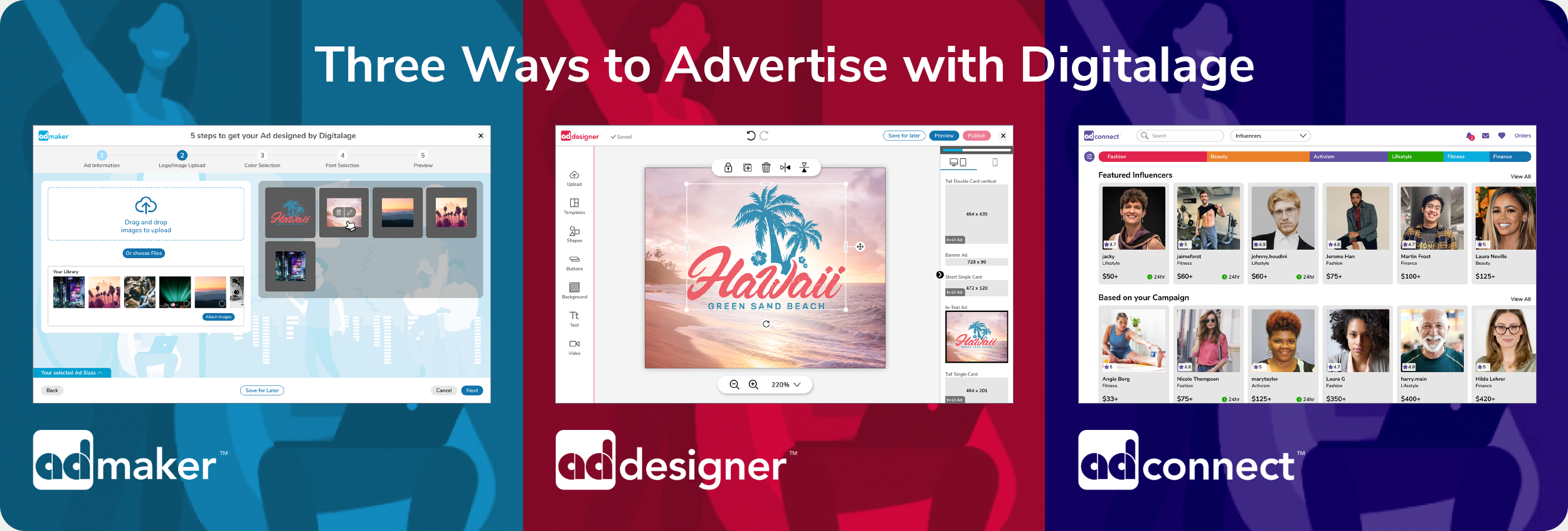
This Web3 startup aimed to provide a one-stop Ad Center experience that allows users to advertise in an easy-to-understand and guided manner. Digitalage offers the user three ways to advertise:
The Ad Maker interface is for users who prefer to provide their branding elements to get their ads designed by Digitalage.
The Ad Designer interface is for users who create their own ads.
The Ad Connect interface allows users to connect with Influencers who will create advertisement videos to promote the user’s brand/product.
Tasks:
Conceptual Design, Information Architecture, Product Design, Visual Design, Competitive Research, User Research
Studying the Online Advertising Landscape
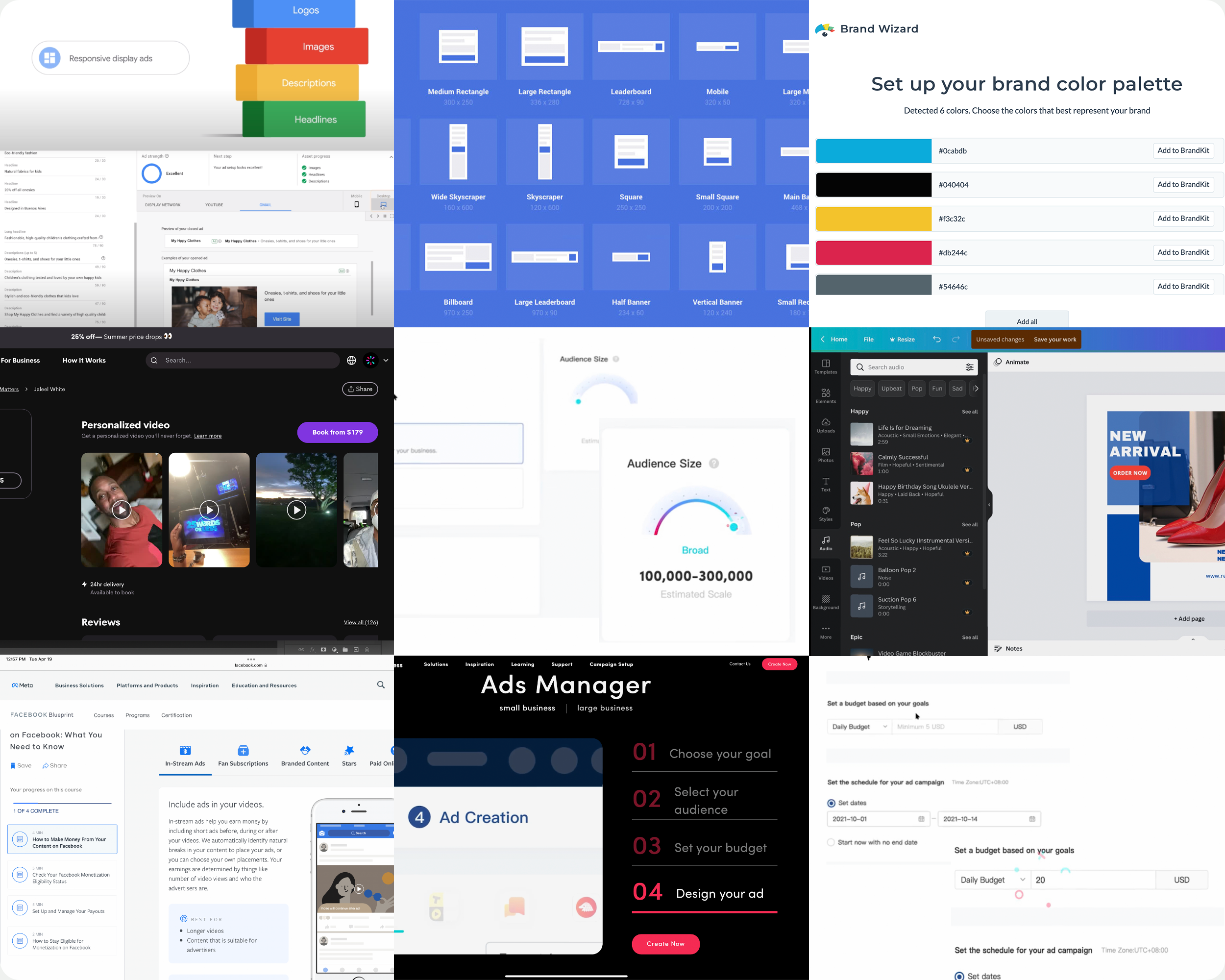
As a newbie, I needed to acquire a solid understanding of the advertisement landscape before interviewing users. I researched the overall field, many products/apps, and social media applications. In addition, I reviewed online design applications and influencer connecting platforms.
User Interviews
After acquiring knowledge of the advertising space, I set out to interview online advertisers with varying experience levels.
Most candidates mentioned an unnecessary complexity around the budget definition and a lack of ad design options within one application.

The Flow
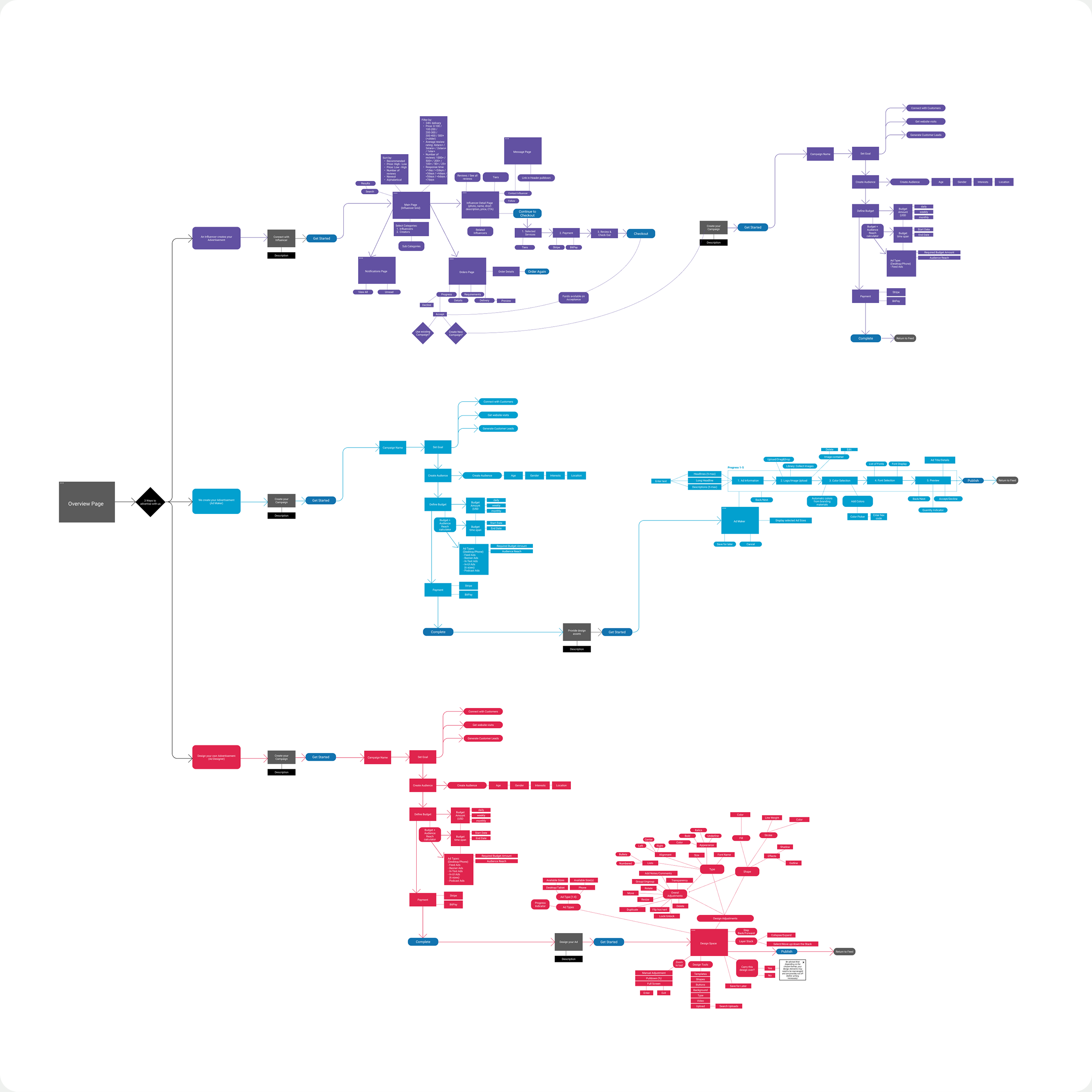
After defining the requirements for this endeavor, I went through multiple iterations of creating the flow for this suite of applications, from campaign creation to ad design.
At this point, I included our developers to determine what could or couldn’t be built and which solutions might be unfeasible.
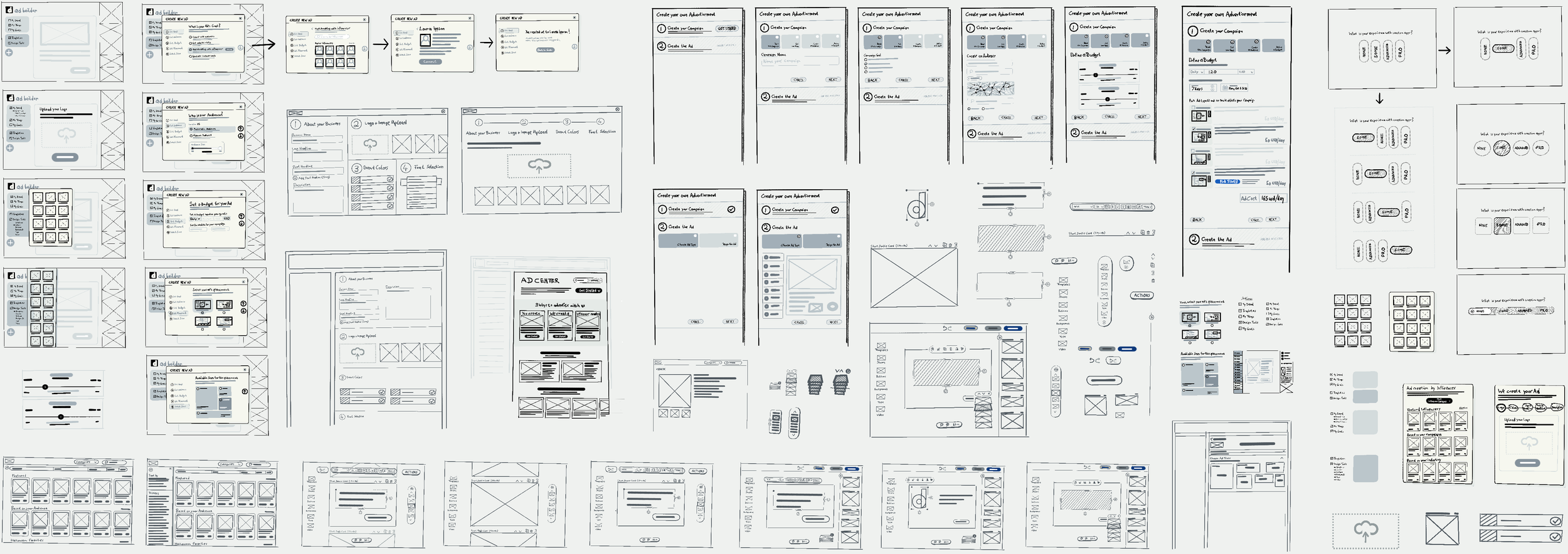
Sketching
After iterating the flow, I started sketching possible solutions in close collaboration with engineers and leadership. During the sketching phase, I caught multiple issues with the flow and kept iterating between these two tasks until it made sense to create the initial designs in Figma.
Designing the UI
Staying in the sketching phase until I felt ready to step into Figma, I created wireframes using our design system components, developing new features as I progressed, which turned the wires quickly into visual design comps.
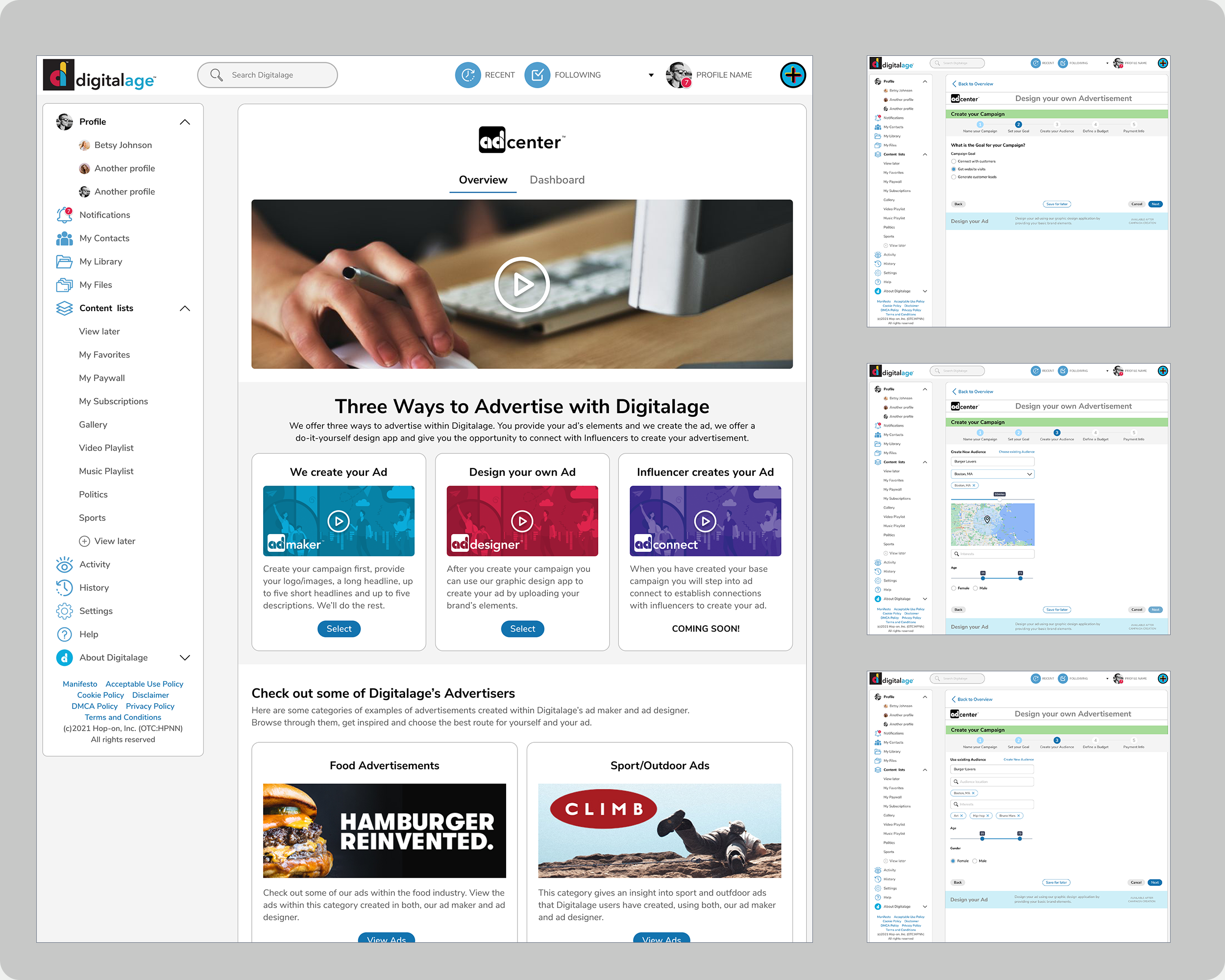
Left: The overview page with three options to advertise. Right: The first few screens of the campaign creation process.
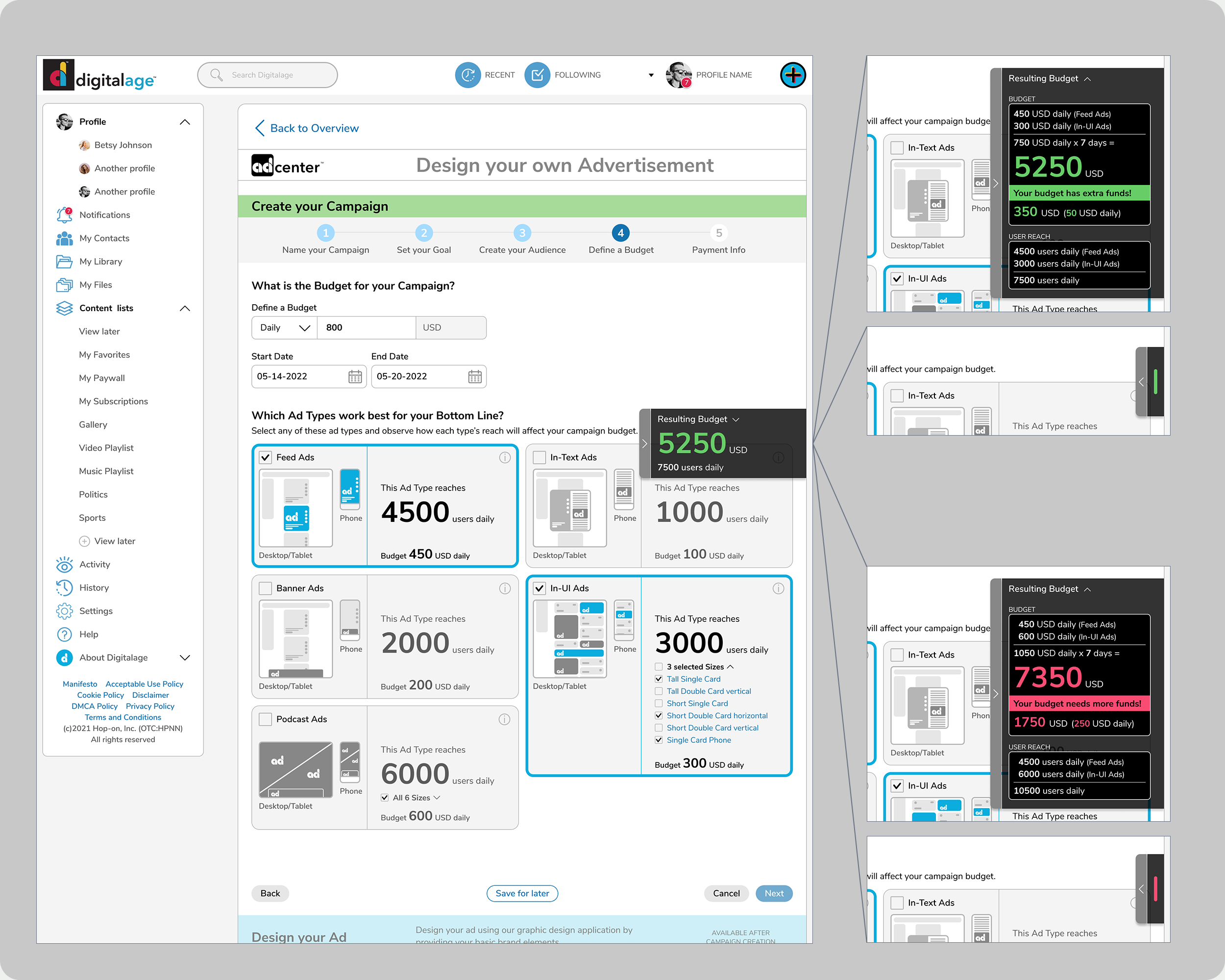
The Budget definition screen needed to be clear and understandable for a broad audience. The right side of the image shows the budget calculator that follows the scroll and can be expanded and collapsed.
During the interview phase, users mentioned it would always be helpful to see the resulting budget amount and user reach and view a breakdown of these amounts as needed without being in the way. This inspired the creation of a tab anchored to the right side of the screen while the user scrolls the page. This tab displays the resulting budget/user reach, with the ability to expand to view the breakdowns, and if not needed, it can be collapsed.
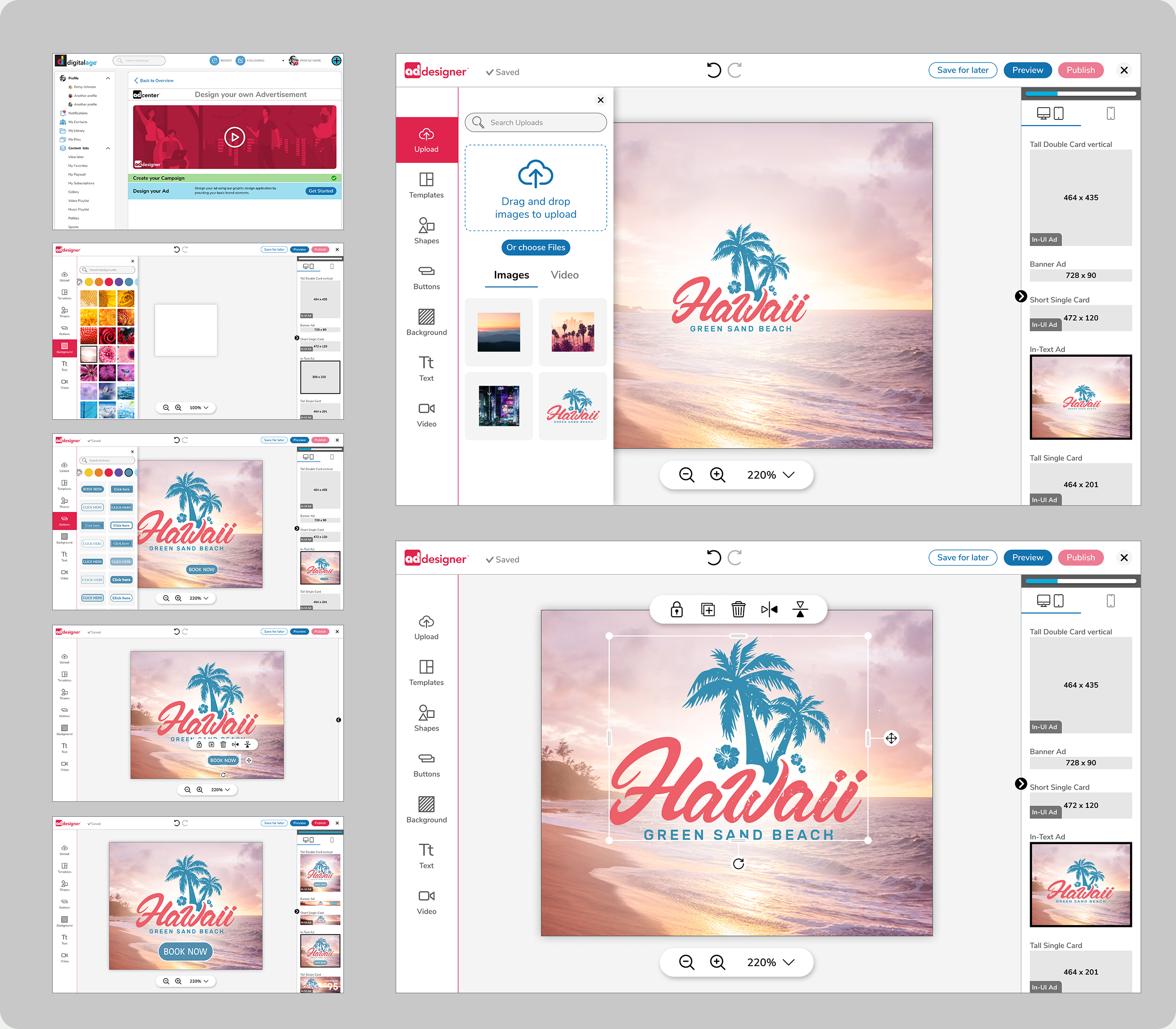
Screens of the ‘design it yourself’ part of the ad center.
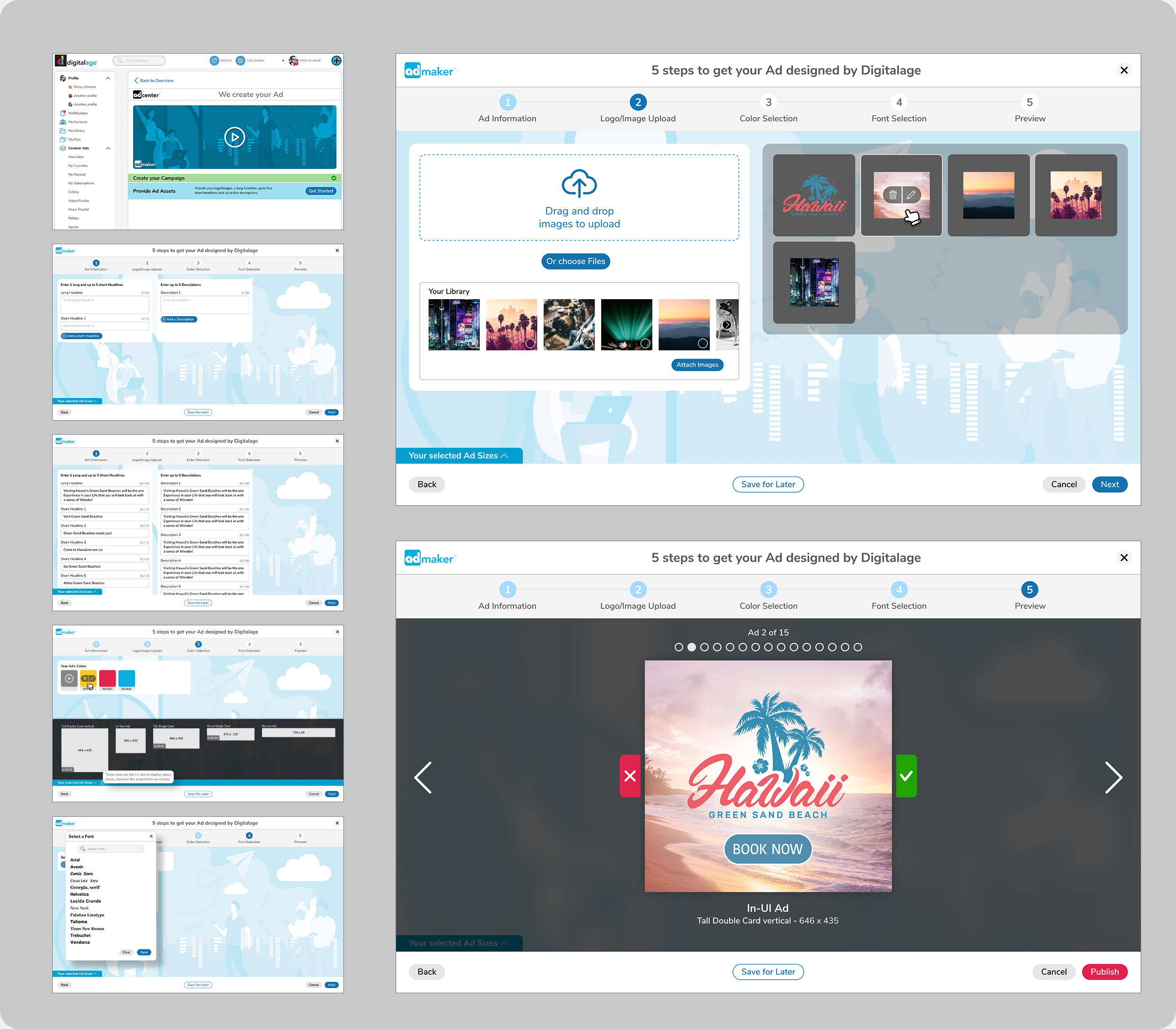
Screens of the section where users can provide branding elements for system created designs.
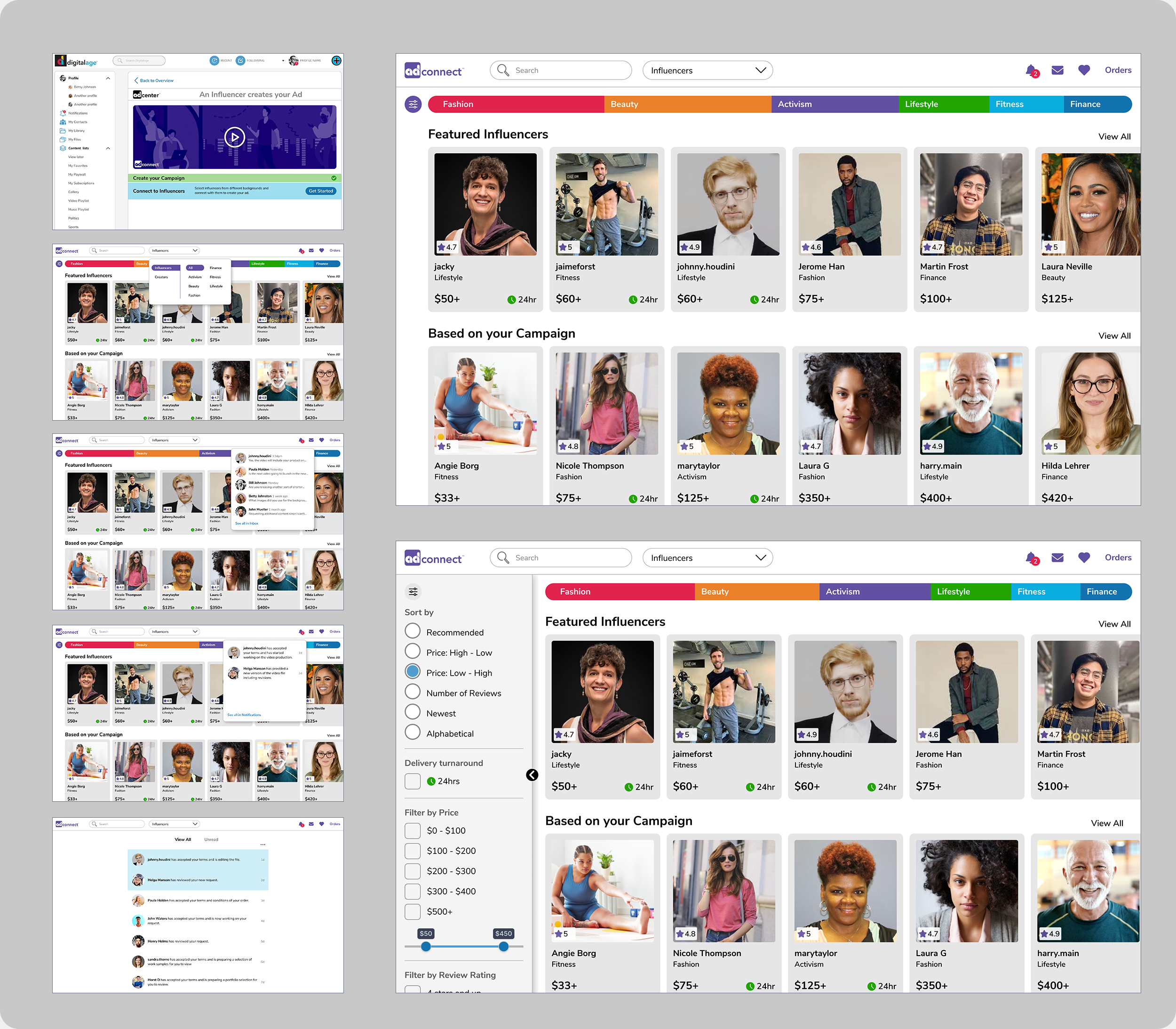
Users would connect with influencers to record videos advertising their products in their Digitalage feed.
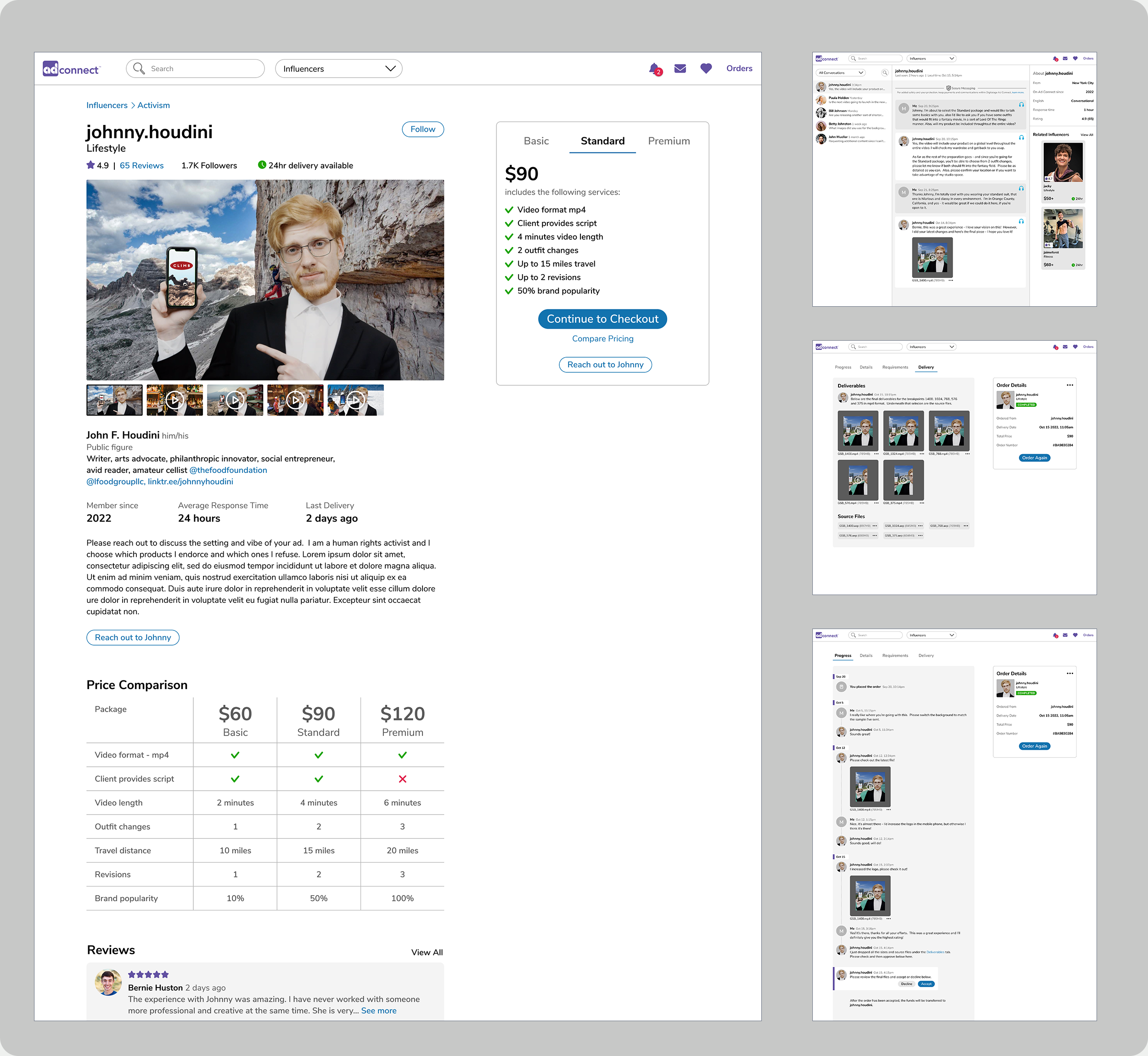
Left: The influencer detail page. Right: The messaging screen with two screens of the order page below.